waitlist · uncommon edits with AI

Learn how I edit my reels with Claude

and make AI edits that look a little more like you

You've been asking how I edit my videos with AI, so I'm putting my whole process together for you. That's where you come in, because I'm building it in real time with the people on this list based on what would be most helpful!

Nothing to buy today. Doors open to the public November 23rd but waitlist will get access early. It'll be under $100 and lifetime access.

you asked

People have been asking...

every time I post a Claude-edited reel, these show up

Comment from allergy.strategist: Hi, how do you do video editing please? That's the part I don't like.
Comment from mrspopps08: I'm in!! I really want to learn how to get Claude to edit my reels and make it look AMAZING
Comment from pharmacist__lindsey: Would love to know how you're editing!
Comment from christel.marketing: Handcrafted is a very smart upgrade. Need that in 2026/2027. Keep me posted!
Comment from evielynnphoto: Would love to learn the editing flow!
Comment from ai.noobclub: you go girl. This is amazing.
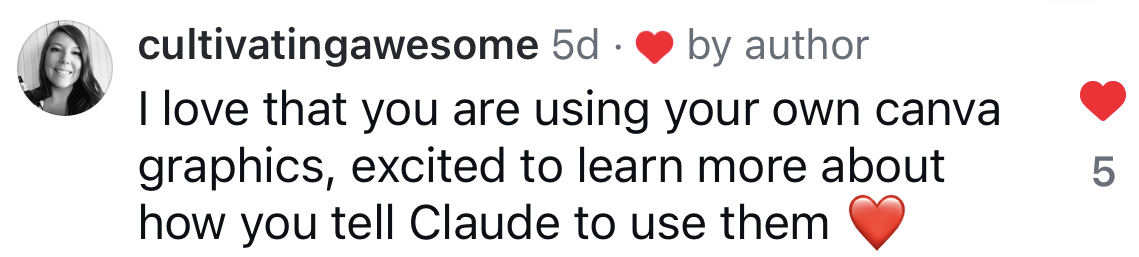
Comment from cultivatingawesome: I love that you are using your own canva graphics, excited to learn more about how you tell Claude to use them
here's what I'm building

Three parts to get you going

Intentionally designed to get you started QUICK but scale up your edits as your skills evolve

not final yet

1

Quick setup

The prompts you paste into Claude to get everything running on your computer, plus your own version of my Uncommon Edits Studio, the place where I start projects, watch each pass and leave notes for Claude, so you can make your first clean cut of a talking-head video without wrestling with anything technical.
2

Basic and advanced edits

Start with the edits that make the biggest difference for the least effort, like clean cuts, little push-ins and captions with your highlight words in felt pen, and then, whenever you're ready, move into the layered, storyboarded edits with paper textures and Canva graphics that you've seen in my reels.

3

Prompts for making your studio smarter

This is the part that makes Claude feel less like a tool and more like a creative partner who knows your style, with a shared glossary so you can ask for an effect by name, a classroom where you study other creators' edits to learn the technique without copying them, and the extras I keep adding as I find new tricks.

under $100

That's the plan for the whole thing. Doors open to the public November 23rd, and the waitlist gets first dibs on the launch price before anyone else hears about it.

a peek inside

The studio you'll get your own copy of

This is where every one of my edits happens: I start a project, watch each pass, leave notes right on the scenes and pick effects from my glossary, and Claude takes it from there.

the setup

What finally worked for me

I tried a few combinations before I landed on this one. Claude and HyperFrames is what's worked best, so that's what I'll be showing you.

ChatGPT + DaVinci Resolvetried it
Claude + Descripttried this too
Claude + HyperFramesthis is the one
heads up!

You'll need a $20/month Claude Pro subscription. It includes Claude Code, which is what does the editing in my setup.

For graphics, a free Canva account works. With Canva Pro you'll be able to do a lot more.

ask me anything

What do you want to learn?

Drop your question in the bubble. No name and no email, so ask whatever you're actually wondering about. I'll build the product around the most common ones and answer some in the series.

Want it?

tell me what you want to see

Opens to public Nov 23, waitlist gets it early. Under $100. Needs Claude Pro. No payment today.